Skip to content
Booking projects for next month. Free website audit with every quote.Claim yours →

Health and wellnessBooking projects for November

Dental Website Development Company for More Booked New Patient Exams

A parent booking a first visit, a patient with a cracked molar at 9 p.m., an implant shopper comparing financing and an adult asking about Invisalign all judge your practice on a phone screen. We build dental websites that answer their insurance, cost and timing questions on the right page and turn the visit into a booked appointment you can trace to its source.

  • Built for dental practices
  • Fixed quote in 1 business day
  • You own everything
yourpractice.com/emergencySame-day emergencydental visitsCall nowTap to callNew booking: cracked toothFrom /emergency · added to scheduleTracked as a leadSource: GoogleAI ASSISTANTImplant dentist near me with paymentplans?Your Practice explains implant costs andlists its financing options.Source: your website
Illustration: a visit becomes a tracked lead

The short answer

What does a dental website development company do?

A dental website development company builds websites for dental practices that turn a search for a toothache, a cleaning, implants, Invisalign or a kids' dentist into a booked appointment or a scheduled consult. The site has to answer what a patient checks before calling: are you taking new patients, are you in network with my plan or do you take Medicaid, what will the first visit cost, can I be seen today for a broken tooth, and who is the dentist.

For a general or family practice that means one page per treatment and per problem (toothache, chipped tooth, bleeding gums, dental anxiety), a new patient page with online forms, an insurance and payment page that names the plans you accept and the ones you do not, and a membership plan page for patients without coverage. For implant, full-arch, orthodontic and cosmetic practices it means cost and financing pages and a consult form that asks the qualifying questions before your treatment coordinator calls. Groups need one real page per office, with its own doctors, hours, insurance list and booking.

Billion Web Studio is a dental website development company that delivers this as one fixed-scope project: dental website design, treatment and doctor pages written for your practice instead of a shared content library, forms and booking on providers that sign a Business Associate Agreement, Dentist schema, call and booking tracking in GA4, and a CMS your front desk can update. You own the domain, code, content and every account from day one, so changing vendors never means starting over.

The market

What the numbers say about dental practices online

Dental demand is steady, but chairs are not full and the patient's first look now happens on Google, in reviews and increasingly in AI tools. These figures show the room you have to grow, who you compete with, and where patients decide.

How they choose

How patients find and choose a dental practice

Most patients pick a dentist when something changes: a move, a new insurance card, a broken tooth, a child's first birthday or a decision to finally replace missing teeth. Here is how that choice usually happens, and what your site has to do at each step.

  1. 1

    Search by problem, treatment or plan

    They type "emergency dentist open Saturday", "dentist that takes my PPO", "kids dentist near me" or "cost of All-on-4", or they ask an AI assistant. You need a page for that problem, that treatment and that insurance question, or Google and AI tools have nothing of yours to show.

  2. 2

    Compare offices on the map and in reviews

    Patients line up three or four offices on Google Maps and read the newest reviews first. Your Google Business Profile, practitioner listings and site must show the same name, hours, doctors and booking link, and your site should show real reviews, real doctors and real photos of the office, not stock smiles.

  3. 3

    Check coverage, cost and the first visit

    The insured patient looks for their plan by name, the uninsured patient looks for a membership plan or new patient exam offer with its terms, and the implant or aligner shopper looks for cost ranges and monthly payment options. If the answer is "call us", many call the practice that already wrote it down.

  4. 4

    Book online or call

    A Press Ganey survey cited by UC Davis Health found 63% of patients want to schedule digitally instead of calling, yet many dental patients still pick up the phone. The page needs a sticky Call and Book bar, reason-based booking (emergency, cleaning, implant consult) and an after-hours path for real emergencies.

  5. 5

    Arrive prepared, then come back

    Online medical history and consent forms sent after booking, a first visit page that explains X-rays, the exam and what the visit costs, and recall and membership pages that bring the patient back every six months.

The problem

Why most dental websites lose new patients

What we find again and again when we audit sites in this trade. None of it is about how the site looks.

Leak 01

Callers you cannot treat, patients you never hear from

The site and Google profile do not say which plans you accept, so Medicaid and out-of-network callers tie up the front desk while fee-for-service patients cannot tell whether you will file their claim. Dentists on Dentaltown and marketers on Local Search Forum describe exactly this after running ads.

Leak 02

"Book now" opens a contact form

The booking button sends a request to the front desk inbox, someone calls back the next day, and the patient with a broken crown has already booked elsewhere. Real-time slots from your schedule, or at least a clear same-day call path, decide emergency and new patient bookings.

Leak 03

One services page for every treatment

Implants, veneers, root canals, night guards, sleep apnea appliances and pediatric sealants share one long page. Google cannot rank it for any of them, and the implant shopper comparing full-arch options sees nothing about cost, timeline, bone grafting or financing.

Leak 04

A site nobody in the office can change

In a July 2026 Dentaltown member poll, 54% of dentists said they rarely update their website and 27% never do, and 67% run the marketing themselves. Expired new patient specials stay live, the hygienist who left is still on the team page and new insurance contracts never get added.

Leak 05

Health details sent by plain email and ad pixels

Contact forms collect symptoms, insurance IDs and medical history and send them to a shared inbox, and ad pixels fire on booking and thank-you pages. Both expose protected health information to vendors that never signed a Business Associate Agreement.

Leak 06

No idea which visits came from the site

In the same Dentaltown poll, 22% of dentists were not sure what drives their new patients. Without call tracking and booking events, you cannot tell whether a slow month is a traffic problem, a Google profile problem or a phone problem at the front desk.

Generic vs built for you

Why a generic website fails dental practices

A template is built to fit every business, so it fits yours badly. Here is what changes when the site is planned around how patients actually buy.

Generic website compared with a website built for dental practices
What you needGeneric template siteBuilt for dental practices
Insurance clarity"We accept most insurance" in the footerAn insurance and payment page that names in-network plans, explains how out-of-network benefits work, states whether you take Medicaid, and links financing and your membership plan
BookingA contact form emailed to the front deskReason-based booking (emergency, new patient cleaning, implant or Invisalign consult) through the booking tool connected to your practice management system, plus click-to-call on every screen
Treatment pagesShared stock articles reused across hundreds of dental sitesOne page per treatment and per problem written for your practice: what it is, what happens if it waits, the steps, cost range, insurance and financing, and your doctor's training
Patient forms and privacyPDF forms to print, or a web form that emails health detailsOnline intake and medical history on a HIPAA-ready form provider that signs a BAA, with no PHI in email and no ad pixels on booking or form pages
Doctor pagesA single team photo with first namesOne page per dentist with degree, training, memberships and the correct general dentist or specialist wording, built to support each Google practitioner listing
Offers and membershipA new patient special banner with no terms, left up after it expiresOffer pages with eligibility, expiry and the disclosures your state requires, financing terms shown in full, and membership plan pages that state the plan is not insurance
Multi-location groupsNear-identical city pages with the name swappedOne real page per office with its own doctors, hours, photos, insurance list, reviews and booking, which also keeps you clear of Google's doorway page policy
OwnershipA rented platform where the vendor holds the site, the content and sometimes the domainYou own the domain, code, design, content, analytics and ad accounts from day one, with no lock-in

Free self-check · 2 minutes

What your current dental website is missing

Tick everything your site does today. Each box you cannot tick is a place where a ready-to-buy visitor leaves.

What you need

What every dental website needs

The features that turn a dental website from a brochure into the best salesperson you have. We build all of them.

  1. Must-have · 01

    Sticky Call and Book bar on mobile

    Tap-to-call, Book online and Directions stay on screen on every page, with the office phone shown as text so patients can save it. Pew Research found 91% of US adults owned a smartphone in 2025, so every page is designed for the phone first.

  2. Must-have · 02

    Insurance and payment page

    In-network plans listed by name, a plain explanation of out-of-network benefits, a clear yes or no on Medicaid and CHIP, how to verify coverage before the visit, and links to financing and the membership plan.

  3. Must-have · 03

    New patient page with online forms

    Are you accepting new patients, what to bring, how long the first visit takes, what the exam and X-rays cost without insurance, and medical history forms completed online before arrival.

  4. Must-have · 04

    Emergency dentistry page

    What counts as a dental emergency, what to do tonight for a knocked-out or cracked tooth, same-day availability, the on-call or after-hours number, and when to go to the ER instead.

  5. Must-have · 05

    Treatment and problem pages with cost and timeline

    Implants, full-arch, dentures, Invisalign, braces, veneers, whitening, crowns, root canals, sedation and sleep apnea each get their own page, with the treatment steps, healing time, cost range, insurance notes and financing in the patient's words. Toothache, cracked tooth, missing teeth, bleeding gums, teeth grinding and dental anxiety get pages too, because patients search for the symptom before they know the treatment name.

  6. Must-have · 06

    Consult funnel for high-value cases

    A two-step form for implant, full-arch, Invisalign and smile makeover consults that asks about timing, insurance and financing interest first, then contact details, so your treatment coordinator calls a qualified patient.

  7. Must-have · 07

    Membership plan page

    What the in-house plan includes (cleanings, exams, X-rays, discounts on treatment), who it suits, how to join online, and the statement that it is not insurance.

  8. Must-have · 08

    Doctor and team pages

    Each dentist and hygienist with photo, degree, residency or advanced training, memberships such as ADA, AGD, AAO or AAPD, and the right general dentist or specialist wording for your state.

  9. Must-have · 09

    Pediatric first visit content

    For practices that see children: the AAPD advice to visit when the first tooth appears or by the first birthday, what happens at that visit, sedation and special needs care, and answers for nervous parents.

  10. Must-have · 10

    Orthodontic consult pages

    For ortho practices: a free consult page that says no referral is needed, separate teen and adult pages, braces vs Invisalign, what insurance usually covers, monthly payment options, and a consult form that asks for the preferred office and an optional smile photo.

  11. Must-have · 11

    Reviews and before-and-after gallery with consent

    Recent Google reviews shown on the site, a review request link for every patient, and smile gallery images used only with written patient authorization and a results-vary note.

  12. Must-have · 12

    Accessibility and privacy pages

    WCAG 2.1 AA build, an accessibility statement, Notice of Privacy Practices, a privacy policy that matches what the site actually tracks, and a consumer health data link where state law needs one.

What we build

The dental website we would build for you

Good website design for dentists starts with the sitemap, not the home page. Here is the one we would start from for a typical general and cosmetic practice with an implant and Invisalign focus. We adjust it for pediatric, orthodontic, specialty and multi-office practices before we quote.

yourcompany.comHome · every section links here

New patients

  • Your first visit and new patient offer
  • Online patient forms
  • Insurance and payment
  • Verify your insurance
  • Membership plan
  • Financing
  • Pay your bill online
  • Book online

Treatments

  • Cleanings and exams
  • Dental implants
  • Full-arch implants and dentures
  • Invisalign and clear aligners
  • Porcelain veneers and whitening
  • Crowns, bridges and root canals
  • Sedation dentistry
  • Implant and treatment cost guides

Problems we treat

  • Toothache
  • Chipped or cracked tooth
  • Missing teeth
  • Bleeding gums
  • Teeth grinding and TMJ
  • Dental anxiety

Emergency and family

  • Emergency dentist
  • After-hours instructions
  • Children's first visit
  • Sealants and fluoride
  • Special needs dentistry

About and locations

  • Doctor pages (one per dentist)
  • Hygienists and team
  • Technology and office tour
  • Reviews and smile gallery
  • Office pages with hours, parking and map

Policies

  • Notice of Privacy Practices
  • Privacy policy
  • Accessibility statement
  • Consumer health data policy where required

Calls, bookings, leads

How we turn visitors into new patients

Our dental website development services are judged on one thing: patients in your schedule that you can trace to the page, search or ad that sent them. This is how we set that up.

  • 01Reason-based booking tied to your schedulePatients pick emergency, new patient cleaning, implant consult or Invisalign consult, then see real slots from the booking tool connected to Dentrix, Eaglesoft, Open Dental or your system, so the appointment lands in the schedule instead of an inbox.
  • 02Click-to-call with call tracking by sourceDynamic tracking numbers on the site, and a tracking number set as the Google profile's primary number with your main line kept as the additional number, show which source made each call, alongside the call reports Google Ads and Local Services Ads already provide. Your main number stays the same in schema and directories. If calls are recorded, we use a call tracking provider that signs a BAA, so missed and unbooked calls can be reviewed with the front desk.
  • 03Two-step consult forms for implants and alignersThe first step asks about missing teeth, timing, insurance and financing interest, the second asks for contact details. Your treatment coordinator calls a prepared patient, and the form runs on a provider that signs a BAA.
  • 04Emergency and after-hours pathThe emergency page shows same-day availability during office hours and the on-call instructions after hours, and tracked calls show how much after-hours demand you really get.
  • 05Membership and financing conversionsUninsured visitors are offered your membership plan or financing pre-qualification link on the pages where cost comes up, so a price question becomes a sign-up instead of a lost patient.
  • 06Every lead counted in GA4 without health detailsCalls, bookings, consult forms, membership sign-ups and financing clicks are tracked as lead events in GA4, with Search Console showing the searches behind them, and treatment details kept out of ad and analytics tags.
  • 07Review requests that follow the rulesA review link for every patient and every doctor, no filtering out unhappy patients and no discounts for reviews, which follows the FTC review rule and Google's policy.

AI search

When a patient asks ChatGPT or Google's AI Overview for a dentist who takes their plan and has an opening this week, the answer is built from sites and profiles that state those facts plainly and match each other. We build for that without promising any placement.

Questions your patients ask AI assistants

  • Which dentist near me takes my PPO and is accepting new patients?
  • Emergency dentist open today for a cracked tooth near me
  • How much do full mouth dental implants cost, and is there financing?
  • When should my child first see a dentist, and who is good with nervous kids nearby?
  • Do I need a referral to see an orthodontist for Invisalign?
  • Dentist near me with a membership plan for people without insurance
  • A Google Business Profile that matches your site

    Primary category Dentist, or Pediatric Dentist or Orthodontist where that is the practice, services linked to their own treatment pages, the payment-plans attribute matched to your financing page, Medicaid left unchecked if you do not take it, and a booking link that opens reason-based booking. In the July 2026 Dentaltown member poll, Google search and reviews was the top source of new patients.

  • Answer-first treatment and insurance pages

    Each page opens with a direct, quotable answer (what an implant is, how long it takes, whether your office takes a plan), then the detail. That is the text AI tools and AI Overviews lift.

  • Dentist schema and doctor credentials

    Dentist and MedicalBusiness structured data with hours, address, accepted payment, each doctor's credentials and FAQ content, so machines read your practice the same way patients do.

  • One identity across Google, Healthgrades and Yelp

    The same practice name, doctors, address, phone and hours on your site, Google Business Profile, practitioner listings and directories. Mismatched details give AI tools conflicting answers about your practice, and they can only repeat what they find.

  • Fresh reviews feeding AI summaries

    BrightLocal found 74% of consumers care only about reviews from the last three months and 82% read AI-generated review summaries. A steady, rule-following review flow keeps those summaries current.

  • Plain statements of cost, coverage and availability

    Cost ranges, membership plan terms, Medicaid yes or no and same-day emergency hours written as facts. AI answers about "dentists that take my plan" can only use what your site says.

Compliance and trust

The rules a dental website has to get right

Dental websites carry rules that most templates ignore. We build to these standards and flag anything that needs your counsel or compliance lead. We do not certify compliance; your HIPAA program stays yours.

HIPAA forms, chat, call tracking and vendors

Any tool that receives patient information for you needs a Business Associate Agreement: intake forms, booking, chat, storage of submissions, and call tracking that records or transcribes calls. We use HIPAA-ready providers that sign one and keep PHI out of email.

Tracking pixels and analytics

HHS OCR's guidance on online tracking was partly vacated in AHA v. Becerra (June 2024), but identifiable health information on patient portals and logged-in pages is still covered. We keep ad pixels off booking, form and portal pages and send conversion events without health details.

Review replies and patient stories

OCR settled with a California dental practice for $23,000 after it disclosed patient details in Yelp review replies. We give you reply templates that do not confirm someone is a patient, and use photos and testimonials only with written authorization.

Accessibility: WCAG 2.1 AA and Section 504

Practices that receive HHS funds, including Medicaid and CHIP providers, must meet WCAG 2.1 AA under the Section 504 rule, now due 11 May 2027 with 15 or more employees and 10 May 2028 with fewer (ADA News, May 2026). We build every site to WCAG 2.1 AA and publish an accessibility statement.

Reviews and texting consent

The FTC rule on reviews and testimonials (in effect since 21 Oct 2024) bans fake reviews, rewards that require a positive review, and suppressing reviews through threats, and Google bars review gating and any incentive for reviews. Under the TCPA, appointment reminders and marketing texts are not the same: autodialed marketing texts need prior express written consent, so forms carry a separate, unchecked marketing consent box, STOP opt-out wording, and a stored consent record.

Specialty, offer and membership wording

State dental boards restrict specialist claims; Texas, for example, requires "General Dentist" after the name when a general dentist advertises a specific service. Offer pages show eligibility, expiry and required fee disclosures, financing shows full terms, and membership plans say they are not insurance.

We build with tools and patterns that support these rules and document what we set up. For legal advice on your own obligations, talk to your attorney.

From the forums

What dental practices ask about websites, answered

Dentists talk about insurance, the front desk, after-hours calls and DSOs far more than websites, but every one of those threads is a website decision in disguise. Here is what owners, and the marketers who run their Google profiles, actually ask, paraphrased from forum threads and Dentaltown's published summaries of member threads.

Where owners talkDentaltown Practice Management board, via Dentaltown Magazine thread summariesDentaltown Insurance and Dental Support Organizations boards, via Dentaltown Magazine thread summariesDentaltown pediatric and general boards, member polls and front desk columnsLocal Search Forum (marketers who run dental practices' Google profiles and websites)

Asked on Dentaltown, Practice Management board

“My Google Ads bring calls from patients whose insurance I do not take, and a new DSO nearby is outspending me. Should I sell, move or change how I market?”

Our answer: You will not outspend a DSO, but you can out-answer it. State on the site and your Google profile exactly which plans you take and which you do not, and send ad traffic to pages that explain fee-for-service and your membership plan instead of the home page. Then track every call by source, so you can see whether the problem is the ads, the area or how the phone is answered before you decide anything bigger.

Asked on Dentaltown, Insurance board

“We dropped our biggest PPO and went fee-for-service. How do we tell patients without losing most of them?”

Our answer: The website carries much of that message. Add an insurance page that explains in plain words how out-of-network benefits still work, a membership plan page for patients who lose coverage, and keep the old URLs and rankings if you rebrand at the same time.

Asked on Dentaltown, Insurance board

“Patients assume their insurance limit is the treatment plan. How do we get them to take ownership of care instead of deferring to coverage?”

Our answer: Treatment and problem pages should open with the patient's problem and what happens if it waits, then cost ranges, insurance and financing, in a calm, non-judgmental tone. Patients arrive already understanding the trade-off, and the same answer-first format is what Google and AI tools quote.

Asked on Dentaltown, pediatric and general boards

“How do other dentists handle after-hours emergencies, and how many of those calls are real emergencies?”

Our answer: Publish an emergency page that says what counts as an emergency, what to do tonight and how to reach the on-call line, so routine questions wait until morning. Tracked calls then show you how much after-hours demand you actually have before you decide whether to market emergency care.

Asked on Dentaltown

“Do phone-training programs for the front desk really bring in more new patients, or do the cost and mystery-shopper calls outweigh the gain?”

Our answer: Most website leads end as a phone call, so measure both sides. Call tracking shows how many calls each source sends and which ones were missed or not booked. If calls are coming in and not booking, training helps; if calls are low, the site and Google profile are the place to start.

Asked on Dentaltown, Dental Support Organizations board

“Owning a practice now means running staff, insurance, software, HR, marketing and reviews on top of dentistry. Are DSOs simply easier?”

Our answer: A DSO has a marketing department; you have a front desk. So the site should do the repetitive work: answer insurance, cost and first-visit questions before the phone rings, send intake forms after booking, report calls and bookings by source to you each month, and let your office manager change hours and offers in minutes. You own it outright, with no platform fee to renew.

Asked on Local Search Forum (marketers who run dental Google profiles)

“Patients at a multi-doctor office keep leaving reviews on the wrong doctor's Google profile. Can Google move them?”

Our answer: Google generally moves a review only when its text names the right doctor. Clear doctor pages with names and photos, and a review link specific to each doctor, stop most of the mix-ups before they happen.

Asked on Local Search Forum (marketers who run dental Google profiles)

“Calls from Medicaid patients suddenly jumped across all our dental clients. What changed?”

Our answer: Thread replies pointed to a Medicaid filter in Google's local results. Check the insurance settings on your Google profile, make sure the website does not suggest Medicaid is accepted if it is not, and say it plainly on the insurance page.

Asked on Local Search Forum (marketers who run dental Google profiles)

“Local Services Ads bring implant and denture calls, but callers hang up when they hear we are out of network. What can we do?”

Our answer: Answer the insurance question before the call. Implant and denture pages should explain out-of-network benefits, cost ranges and financing, and the insurance page should list your plans, so the patients who do call are ready for that answer.

Asked on Local Search Forum (marketer for a dentist with three offices)

“Our site runs on a big dental website vendor's template we cannot get under the hood of, and rankings are weak. Is it safe to ditch it and rebuild?”

Our answer: Usually yes, if the move is planned. Get the domain, Google profile and analytics into your own name before you cancel, keep the URL structure, titles and content that rank, or redirect each old URL one to one. Replies in that thread said the same: rebuild the back end, keep what Google already trusts.

Questions are paraphrased from public threads. We never quote members by name.

Others vs us

Billion Web Studio vs a website builder template vs a typical dental web design company

The three ways dental practices usually get a website, side by side.

Billion Web Studio vs a website builder template vs a typical dental web design company
Billion Web StudioWebsite builder templateTypical industry agency
Who owns the site, content and domainYou, from day one, including code and accountsYou own the account, but the site only runs on that builderOften the vendor's platform; files and sometimes the domain stay with them
ContractFixed-scope project, no lock-in, optional care plan after 30 days of free supportMonthly subscriptionOften a monthly platform or hosting fee, or a marketing retainer of several months required after launch
Price clarityFixed quote within 1 business day, no hourly billingPlan price, but your time to build itPackages and add-ons; terms often shared only on a sales call
Treatment and problem pagesWritten for your practice, one per treatment and symptomYou write them yourselfShared content library reused across many dental sites
Booking and practice softwareBooking tool connected to your PMS, reason-based booking, trackedGeneric calendar or contact formOften limited to the vendor's own booking or communication tools
HIPAA-ready forms and trackingBAA-signing form providers, no PHI in email, no pixels on booking pagesStandard forms that email submissionsVaries; "HIPAA-compliant forms" often claimed without explaining the BAA or pixel setup
Insurance, Medicaid and offer clarityNamed plans, Medicaid stated, offers with terms and expiryWhatever you addTemplate insurance page, often generic
Lead trackingEvery call, booking and consult form as a GA4 lead event by sourceBasic visitor statsVendor dashboard you may lose if you leave
Timeline and accountabilityDated week-by-week plan, weekly written updates; if we slip a date because of us, next month of support is freeDepends on your free timeA launch window, but no week-by-week plan and no remedy if it slips

Why Billion Web Studio

What we do better, and why it matters to you

  • Built around how patients choose a dentist

    Most dentist website design starts with a home page mockup. We start with the questions your front desk answers all day: insurance first, then cost, the first visit and booking. Every page is planned around those questions, so fewer of them reach the phone unanswered.

  • You own everything

    Domain, code, design, content, Google Business Profile, analytics and ad accounts are yours from day one. No platform fee and no contract keeps you with us.

  • Fixed quote in 1 business day

    A free audit of your current site and a written scope with a fixed quote, agreed before work starts, based on pages, features, integrations and content. No hourly billing.

  • Dated plan, weekly updates, a real guarantee

    A week-by-week plan with dates and a written update every week. If we slip a date because of us, your next month of support is free.

  • Privacy and accessibility handled in the build

    BAA-signing form and booking providers, no PHI in email or ad pixels, WCAG 2.1 AA, and correct general dentist and specialist wording, flagged for your counsel where state rules apply.

  • Search and AI visibility from day one

    Technical SEO, Dentist schema, Core Web Vitals targets, practitioner-ready doctor pages and answer-first treatment pages are part of the build, not an add-on. Our sister company, Billion Game, is an SEO and AEO agency that works on search every day.

In writing, before we start

  • Fixed quote in 1 business day

    Scope, deliverables and price agreed in writing, with a free audit of your current site. No hourly billing.

  • Launch date in writing

    A dated week-by-week plan and a written update every week. If we slip because of us, the next month of support is free.

  • You own everything

    Code, design, content, domain and accounts are yours from day one. No 12-month contract, no rented site.

  • 30 days of support included

    We watch rankings, forms and call tracking after launch and fix anything that needs it.

Proof, not promises

Results from websites we have built

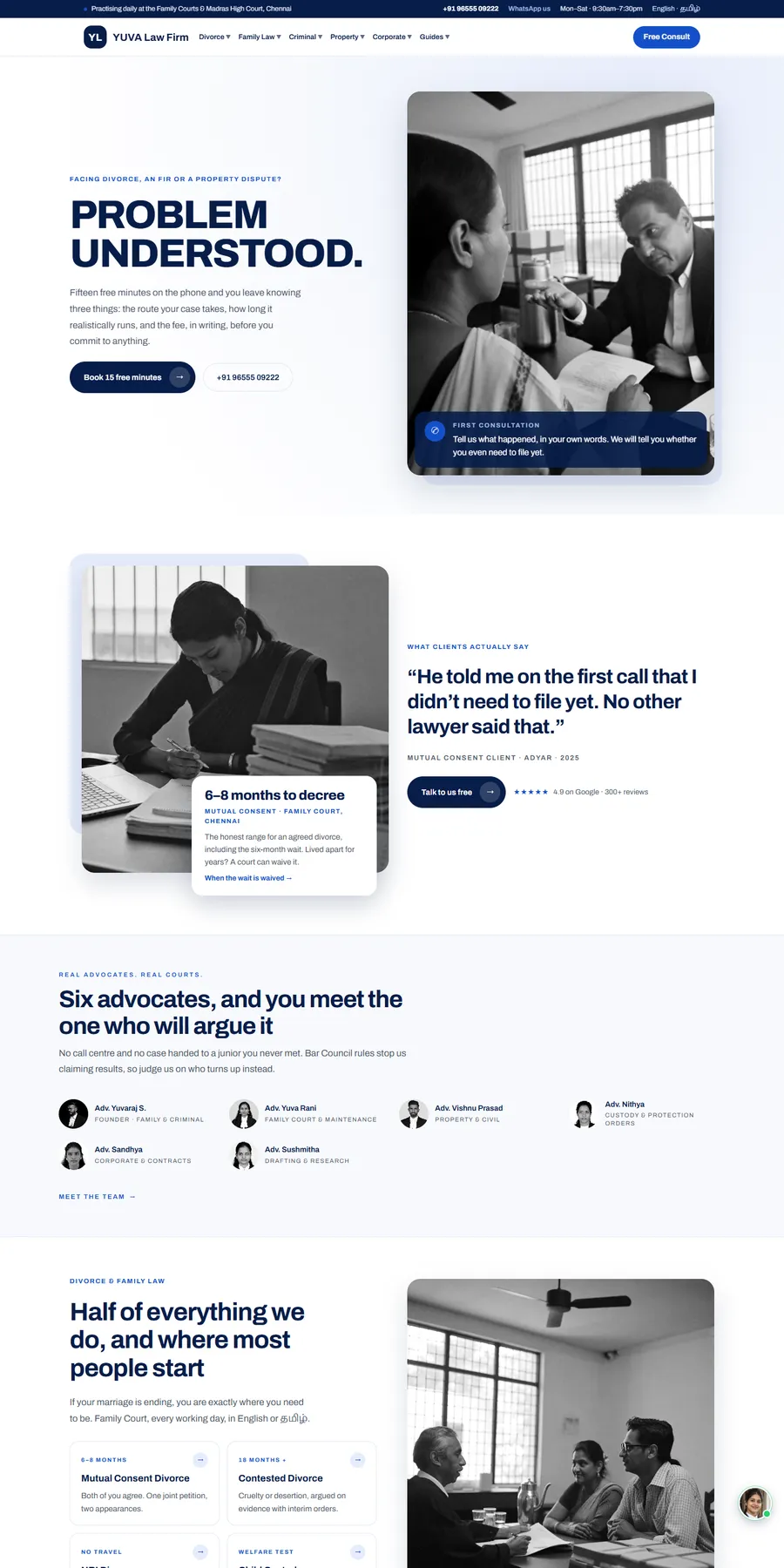
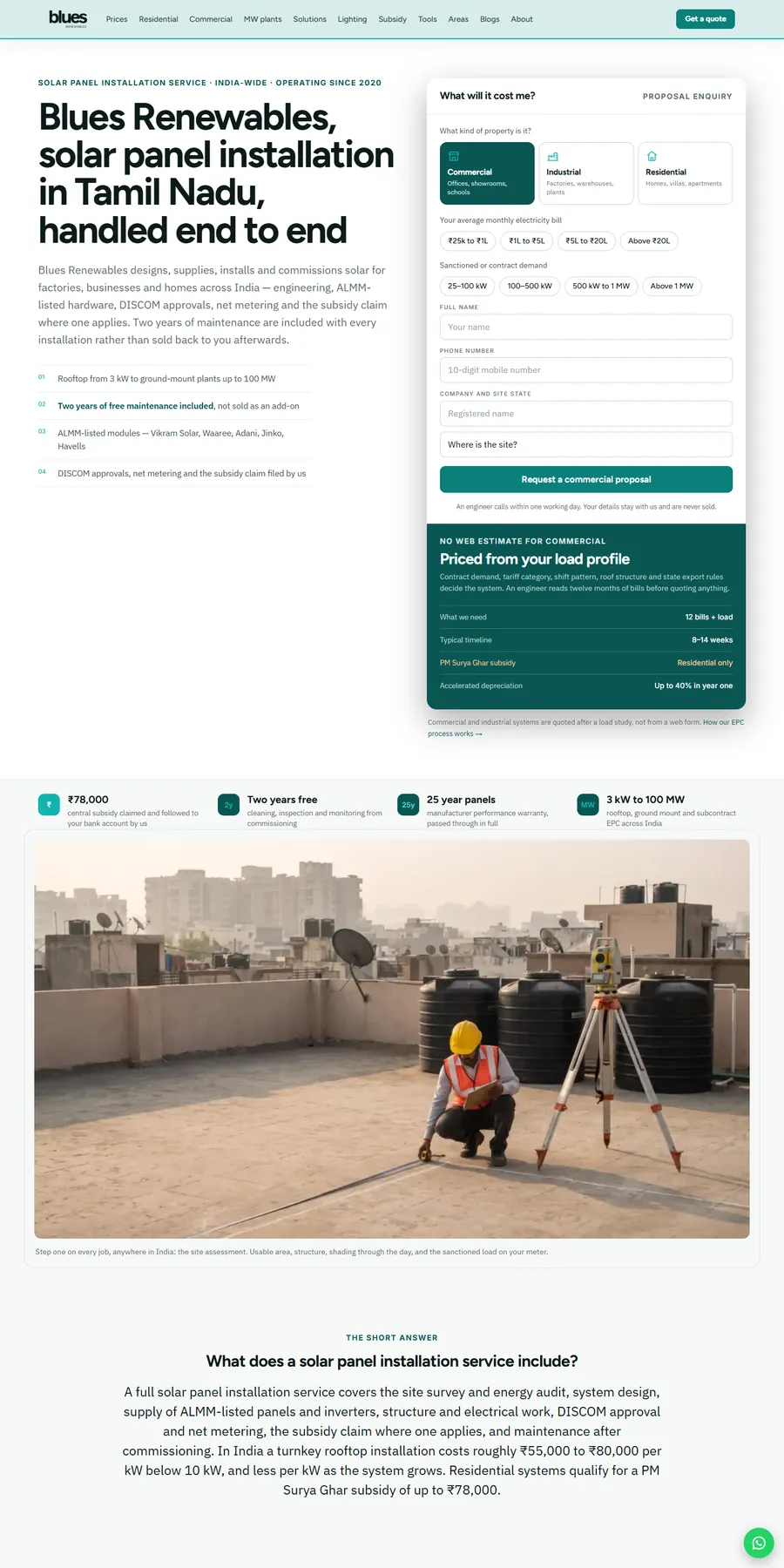
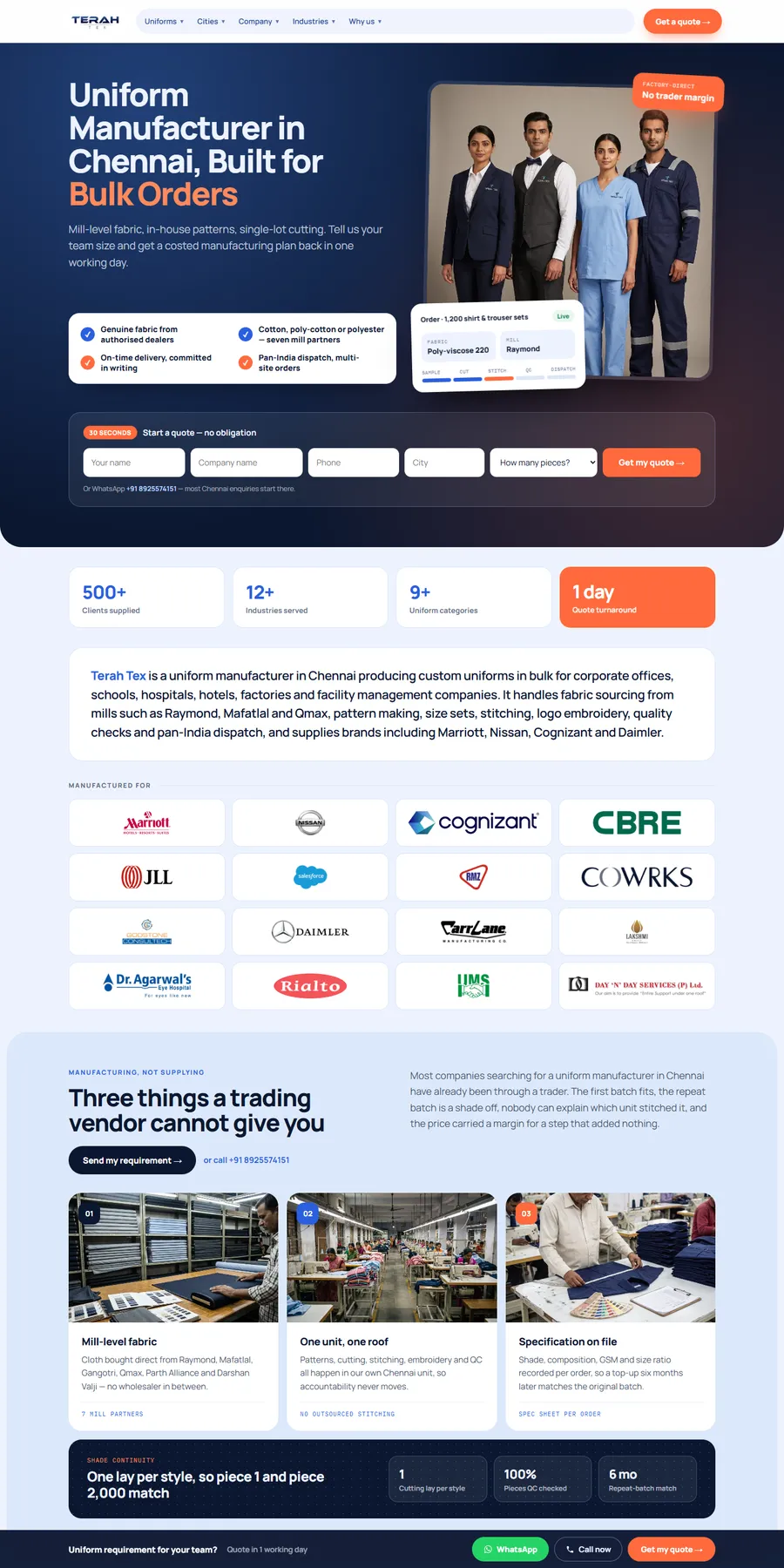
We have not built a website for a dental practice yet, and we will not pretend otherwise. What transfers is the local lead system. For Blues Renewables, a local rooftop solar installer, price pages for every system size, solar and ROI calculators, 129 local area guides, click-to-call and every call and form tracked as a lead event in GA4 took the business from no tracked leads to 7 to 10 enquiries a week, with Google clicks rising from 14 to 560 a fortnight in two months. Terah Tex shows the two-step quote form we would adapt for implant and Invisalign consults; that site took the business from no website enquiries to about 5 bulk-order leads a week. YUVA Law Firm shows free-consultation forms for a local professional practice.

More websites we have designed and built

Process

How your dental website project runs

Typical timeline: 4 to 8 weeks for a single-office practice; 8 to 12 weeks for groups with many office and treatment pages. You see progress every week.

  1. Step 01 · Week 1

    Discovery and audit

    We audit your current site, competitors, and how you show up on Google and in AI answers, then agree on goals and a fixed quote.

  2. Step 02 · Weeks 2 to 3

    Strategy and design

    Sitemap, wireframes and full designs for your review. You approve everything before we build.

  3. Step 03 · Weeks 3 to 6

    Build and test

    Development, SEO setup, speed tuning, and testing across devices and browsers.

  4. Step 04 · Launch and beyond

    Launch and grow

    We launch, monitor, and improve based on real data. 30 days of free support included.

What shapes your quote

Scope, not hourly billing

Every project gets a fixed quote within 1 business day, agreed before work starts.

Get my fixed quote →
  • Number of treatment, problem and doctor pages, and whether we write the content or edit yours
  • Number of offices, each with its own doctors, hours, insurance list and booking
  • Booking and form integrations: your practice management system, booking tool, HIPAA-ready intake, membership plan and financing
  • Practice type: general, cosmetic, implant and full-arch, orthodontic, pediatric or a mix
  • Migration from a rented dental platform, including URL redirects and protecting current rankings
  • Photography, office tour video, smile gallery and Spanish or other language pages

Dental website questions, answered

Straight answers to what owners ask us, and what they ask Google and AI assistants. Ask us anything else.

How much does a dental website cost?

We give a fixed quote within 1 business day, agreed before work starts, based on the number of pages, features, integrations and content. There is no hourly billing and the quote does not change unless you change the scope.

How long does it take to build a dental practice website?

Most single-office practice sites take 4 to 8 weeks. Groups with many office, doctor and treatment pages take 8 to 12 weeks. You get a dated week-by-week plan at the start and a written update every week.

Will online booking connect to Dentrix, Eaglesoft or Open Dental?

We connect the booking tool you already use, or one you choose, that works with your practice management system, so new appointments write to your schedule instead of arriving as an email. We confirm the exact setup during the audit.

Are your forms HIPAA compliant?

We build intake, consult and contact forms on HIPAA-ready providers that sign a Business Associate Agreement, and keep health details out of email and ad pixels. Your HIPAA compliance program remains yours; we do not certify it.

Can I leave my current dental website design company without losing my Google rankings?

Usually, if the move is planned. No one can guarantee rankings, but we map every existing URL, keep the pages and titles that rank or redirect them one to one, and move analytics, Search Console and your Google profile links. After launch you own the site, so the next move is just as easy.

Who owns the website, domain and content?

You do, from day one: the domain, code, design, written content, photos, analytics and ad accounts. There is no lock-in and no platform fee tying you to us.

Do dental websites need to be ADA accessible?

DOJ says businesses open to the public should make their online services accessible, and practices that take Medicaid, CHIP or other HHS funds have Section 504 deadlines of 11 May 2027 or 10 May 2028 depending on staff size. We build to WCAG 2.1 AA and publish an accessibility statement.

What should I ask a dental web development company before I sign?

Ask who owns the domain, code, content and Google profile; whether online booking writes to your practice management system or just emails a request; whether the form and booking vendors sign a Business Associate Agreement; whether ad pixels fire on booking or form pages; whether there is a contract, platform fee or retainer; and for a dated plan. Get every answer in writing before you pay a deposit.

Will my practice show up in ChatGPT and Google AI Overviews?

No one can guarantee placement. What helps is answer-first treatment and insurance pages, Dentist schema, matching details across Google and directories, and a steady flow of recent reviews. We build all of that in.

Should each dentist have their own page?

Yes. Doctor pages with credentials and correct general dentist or specialist wording build trust, support Google practitioner listings and give patients a reason to ask for a specific dentist.

We have several offices. One website or one per office?

Usually one website with a real page for each office: its own doctors, hours, photos, insurance list, reviews and booking. Treatment pages are written once and linked from each office, which avoids thin, near-duplicate city pages.

Should I put prices on my dental website?

Cost ranges for implants, aligners and cosmetic work, with insurance and financing explained, help patients decide to call. Offers need their eligibility, expiry and any disclosures your state requires, and financing offers need full terms.

Can my front desk update the site?

Yes. You get an editable CMS and training, so your office manager can change hours, team members, offers and insurance plans without calling us.

What happens after launch?

You get 30 days of free support after launch, then an optional care plan if you want one. If we slip a date because of us during the project, your next month of support is free.
Get your free dental website audit and fixed quote

Four quick questions. You'll get a fixed quote and a free audit of your current site within 1 business day.

  • ✓ No obligation, no sales pressure
  • ✓ Fixed price, never hourly
  • ✓ Your details stay private

Prefer email? info@billionwebstudio.com

Step 1 of 4~60 seconds
What do you need?