Skip to content
Booking projects for next month. Free website audit with every quote.Claim yours →

Hospitality, auto and localBooking projects for November

Daycare Website Development Company for Child Care Centers and Preschools

A mother on maternity leave searches for infant care near her office and shortlists three centers from their websites before she books a single tour. A director has two toddler openings and six names on a waitlist that has gone cold. We build daycare and preschool websites that show parents what they check first, book tours straight from the page, keep children's privacy at the center and show which inquiries came from where.

  • Built for daycares, child care centers and preschools
  • Fixed quote in 1 business day
  • You own everything
yourcenter.com/infant-careInfant care with1:4 ratiosBook a tourTap to callNew tour request: infantFrom /infant-care · start in MarchTracked as a leadSource: GoogleAI ASSISTANTLicensed daycare near me with infantspots?Your Center: state licensed, infant room1:4, tours weekdays.Source: your website
Illustration: a visit becomes a tracked lead

The short answer

What does a daycare website development company do?

A daycare website development company builds websites for child care centers, preschools and licensed family child care homes that turn a parent's search into a booked tour and a filled opening. The site has to answer what parents check before they call: whether you are licensed, which ages you take and whether you have openings, your ratios and teachers, what a day looks like, what it costs, how you keep children safe, and how to see the center in person.

For a child care center that means a page per age group (infants, toddlers, twos, preschool, pre-K, school age and summer care), current openings by age, a tour booking form, tuition or a clear way to get it, your state license number where your state requires it in advertising, teacher and director pages, safety, health and meal policies, a parent handbook, and a careers section that helps you hire teachers. Photos of children appear only with written parental consent.

Billion Web Studio is a daycare website development company that delivers this as one fixed-scope project: daycare website design, age group, program, location and careers pages, tour and waitlist forms connected to your enrollment software, ChildCare schema for each location and GA4 tracking that separates tour requests, calls and job applications. You own the domain, code, content and photos from day one.

The market

What the numbers say about daycares, child care centers and preschools online

Child care is one of the largest bills a young family pays, so parents research hard before they tour. Supply shifts center by center, and the staff to run classrooms is hard to keep. These figures show what a daycare website is up against on both sides.

How they choose

How parents find and choose a daycare

Parents choose child care slowly and with care. They search near home or work, check licenses and reviews, compare ages, openings and price, then tour two or three places. Here is the path, and what your site has to do at each step.

  1. 1

    They search by age and place

    "Infant daycare near me", "preschool [neighborhood]", "after school care near [school]". Parents in r/Preschoolers say they start with Google Maps and reviews near home. The site needs a page per age group, so the search lands on infants, not a homepage slideshow.

  2. 2

    They check the license and the record

    Parents look for "state licensed" and many use their state's official child care search, which posts inspection reports. Your license number on the site and a link to your record show you have nothing to hide.

  3. 3

    They check openings and price

    Whether you take their child's age, whether you have a spot when they need it and what it costs. A parent in r/Preschoolers said rates on the website save calls to places out of budget. An openings-by-age block and a tuition page answer both.

  4. 4

    They book a tour

    Many parents prefer to book a tour online. A short form with child's age, start date and preferred times, or a calendar, books it without phone tag. The confirmation tells them where to park, who will meet them and what to ask.

  5. 5

    They decide on the feel and the people

    Parents say the director and how the place felt decided it. The site cannot replace the tour, but teacher and director pages, a day-in-the-life page and real photos of clean classrooms set it up, and the enrollment packet makes yes easy.

The problem

Why most daycare websites lose enrollment tours

What we find again and again when we audit sites in this trade. None of it is about how the site looks.

Leak 01

Directories and flyers that bring nothing

New owners in r/ECEProfessionals describe a month of neighborhood apps, care directories, Facebook groups and flyers with no responses. Directories put you in a list next to every competitor; a site of your own is where a parent who found you by name decides to tour.

Leak 02

No openings, ages or prices on the site

Parents want to know straight away whether you take infants, whether there is a spot in March and roughly what it costs. Sites that say "call for availability" lose the parent who is comparing three centers at 10 p.m.

Leak 03

A license parents cannot see

"State licensed" with no number, or nothing at all. California and Florida require child care providers to show their license number in advertising, and parents can check inspection reports on state sites. A site that hides it looks like it has something to hide.

Leak 04

Children's faces on public pages

Some sites fill the homepage with identifiable photos of enrolled children. Parents are split on it even with a waiver, and many prefer photos shared only in a private parent app. Public pages should show the rooms, the teachers and children only with written consent.

Leak 05

Tours that need three phone calls

Directors are in classrooms, phones go to voicemail and parents give up. Without online tour booking and a quick confirmation, the parent tours the center that answered first.

Leak 06

Classrooms you cannot staff

Openings stay open when you cannot hire teachers. A careers page that says only "we're hiring" gives teachers no reason to choose you over the center down the road.

Our research

We checked 16 real daycare websites. Here is what we found.

On October 23, 2026 we opened the homepages of 16 daycares, child care centers and preschools that rank in Google Maps in 10 US metros, the way a customer would on a phone, and ran a mobile Lighthouse test on each. Every number below comes from that check.

  • 66/100

    median mobile Lighthouse performance score (90 or more is good)

  • 7.5 s

    median time to show the main content on a phone (target: 2.5 seconds or less)

  • 1.7 MB

    median homepage download on a phone, before anyone scrolls

  • 15 of 16 took longer than 2.5 seconds to show their main content in a mobile Lighthouse test

  • 4 of 16 show a tap-to-call link on the first phone screen

  • 7 of 16 show a clear call, book or quote button on the first screen

  • 6 of 16 have a contact or quote form on the homepage

  • 5 of 16 let visitors book or schedule online

  • 10 of 16 describe the business to Google with business schema markup

  • 5 of 16 have Google Analytics or Tag Manager installed

  • 1 of 16 use call tracking

  • 1 of 16 show a copyright year of 2024 or older (of the sites that show one)

  • 3 of 16 have images with no alt text

  • 6 of 16 link to a privacy policy

  • 9 of 16 offer live chat or texting

What this means for your daycare website

The three biggest gaps in the sample. Each is fixable, and each is a reason a customer picks the next result instead of you.

See how your site compares →
  1. 1

    15 of 16 took longer than 2.5 seconds to show their main content in a mobile Lighthouse test. Google counts 2.5 seconds or less as a good Largest Contentful Paint. Slow first screens lose visitors before they see your phone number.

  2. 2

    Only 1 of 16 use call tracking. Calls are the main lead source in most local trades. Without call tracking you cannot see which marketing made the phone ring.

  3. 3

    Only 4 of 16 show a tap-to-call link on the first phone screen. Most of these searches happen on phones. A number that is not a tap-to-call link, or sits below the fold, costs calls.

How we checked: Google Maps results for “daycare center” in Houston, Phoenix, Atlanta, Denver, Charlotte, Columbus, Tampa, Nashville, Kansas City, Sacramento; the two highest-ranked independent businesses per city (chains and directory listings left out). 20 homepages sampled, 16 loaded for our checker (the rest blocked automated visits), 16 scored by Lighthouse in mobile mode. Lighthouse is a lab test and varies run to run; it is not the same as Google's real-user Core Web Vitals. Businesses are not named. Checked October 23, 2026.

Generic vs built for you

Why a generic website fails daycares, child care centers and preschools

A template is built to fit every business, so it fits yours badly. Here is what changes when the site is planned around how parents actually buy.

Generic website compared with a website built for daycares, child care centers and preschools
What you needGeneric template siteBuilt for daycares, child care centers and preschools
Age groupsOne Programs pageA page per age group with ratios, group size, daily schedule, curriculum, teachers and current openings
Openings"Call for availability"An openings-by-age block your director can update in a minute, with a waitlist form when a room is full
ToursA phone number and a contact formOnline tour booking with child's age, start date and preferred times, a confirmation with parking and what to ask, tracked as a conversion
TuitionNothing, or a PDF from three years agoA tuition page with rates or ranges by age, fees, discounts and subsidy programs you accept, or a clear way to request the current rate sheet
License and safety"State licensed" in the footerLicense number where your state requires it in ads, a link to your state record, and safety, health, sick child, pickup and emergency policies in plain words
PhotosStock photos or identifiable children with no consent recordsReal classrooms, playgrounds and teachers, children shown only with written parental consent and never named
Teachers and directorA staff photoDirector and lead teacher pages with credentials, years in early education and a short note to parents
Recruiting"Now hiring" bannerA careers section with pay, benefits, training and schedules, and a short application tracked by source

Free self-check · 2 minutes

What your current daycare website is missing

Tick everything your site does today. Each box you cannot tick is a place where a ready-to-buy visitor leaves.

What you need

What every daycare website needs

The features that turn a daycare website from a brochure into the best salesperson you have. We build all of them.

  1. Must-have · 01

    A page per age group

    Infants, toddlers, twos, preschool, pre-K, before and after school care and summer camp, each with ratios and group sizes, a daily schedule, curriculum, teachers and a tour button.

  2. Must-have · 02

    Openings by age and a waitlist

    A simple block showing open, limited or waitlist for each age group, which your director updates from the CMS, and a waitlist form that captures due dates and start dates.

  3. Must-have · 03

    Online tour booking

    A short tour form or calendar on every page, a confirmation with what to expect, and reminders by text or email with the parent's consent.

  4. Must-have · 04

    Tuition, fees and subsidies

    Rates or ranges by age and schedule, registration and supply fees, sibling and staff discounts, and the state subsidy and military fee assistance programs you accept.

  5. Must-have · 05

    License, inspections and accreditation

    Your state license number shown as your state requires, a link to your record on the state's child care search, and accreditation such as NAEYC shown only if current.

  6. Must-have · 06

    Safety and health policies

    Secure entry, pickup authorization, staff background checks, safe sleep for infants, allergies and medication, sick child rules, emergency plans and how you communicate with parents.

  7. Must-have · 07

    A day in the life

    A real daily schedule for each room, meals and snacks, naps, outdoor time and learning, with photos of your rooms and playground.

  8. Must-have · 08

    Teachers and director pages

    Credentials, years in early education, training and a short note to parents. Parents choose people, and teachers like being seen.

  9. Must-have · 09

    Parent resources

    Parent handbook, calendar and closures, enrollment packet, menus and a link to your parent app, so current families stop calling for the basics.

  10. Must-have · 10

    Careers for teachers

    Pay, benefits, tuition discounts for staff children, training and credential support, schedules and a short application, with the pay information your state requires in job posts.

  11. Must-have · 11

    Location pages that match Google

    For each center: address, hours, ages served, openings, tour booking and photos, with name, address and phone identical to the Google Business Profile.

  12. Must-have · 12

    Fast, accessible pages

    Readable on a phone in one hand, WCAG 2.1 AA as the standard, compressed photos and Spanish or other language pages if your families need them.

What we build

The daycare website we would build for you

Good website design for daycares starts with the sitemap. Here is the one we would start from for a child care center with one or two locations. We trim it to the ages you serve and add a location section for each center in a group.

yourcompany.comHome · every section links here

Programs by age

  • Infant care
  • Toddler care
  • Twos
  • Preschool
  • Pre-K
  • Before and after school care
  • Summer camp

Enroll

  • Current openings
  • Book a tour
  • Join the waitlist
  • Tuition, fees and discounts
  • Subsidies and fee assistance accepted
  • How enrollment works

Our center

  • Curriculum and approach
  • A day in the life
  • Meals and nutrition
  • Safety, health and security
  • Licensing and accreditation
  • Photo tour

People

  • Our director
  • Our teachers
  • Parent reviews

Parents

  • Parent handbook
  • Calendar and closures
  • Parent app sign-in
  • Forms and enrollment packet

Careers and legal

  • Teach with us
  • Open positions and apply
  • Privacy policy and photo policy
  • Nondiscrimination statement
  • Accessibility statement

Calls, bookings, leads

How we turn visitors into enrollment tours

Good daycare web design is judged by tours booked and rooms filled, and by teachers hired. We build both paths and make each step visible, without putting children's information at risk.

  • 01Tour booking as the main actionA short form or calendar on every page with child's age, desired start date and preferred times. Each request goes to the director and is tracked as a GA4 conversion with no child details in the event.
  • 02Waitlist that stays warmA waitlist form that records age, due date or birth date and start date, passed to your enrollment software, so when a spot opens you can contact families in order and fast.
  • 03Openings that update in a minuteAn openings block per age group your director changes from the CMS, so ads and Google posts can point to the age with space.
  • 04Calls tracked by pageTap-to-call on every page with call tracking that keeps your main number on Google, so you see whether the infant page or the preschool page made the phone ring.
  • 05Teacher applications trackedA short application on the careers page with credential and availability, sent to the director and tracked by source, so you know which job board or page brings teachers.
  • 06Texts with consentTour reminders and enrollment follow-up sent with the parent's consent, with a separate, unchecked box for promotional messages and your messaging terms linked.
  • 07A monthly report you can readTour requests, waitlist sign-ups, calls and job applications by age page and source, in plain numbers.

AI search

Parents now ask ChatGPT, Google AI Mode and Perplexity which daycares near them take infants, have openings or teach a particular way. BrightLocal found 45% of US consumers used AI tools for local recommendations in 2026, up from 6% a year earlier, and Pew found that when Google shows an AI summary, people click a regular result on 8% of visits against 15% without one. Assistants can only repeat what your site, profile and reviews state plainly.

Questions your parents ask AI assistants

  • Licensed daycare near me with infant openings
  • Montessori preschool near me with half-day options
  • How much does daycare cost in Denver for a toddler?
  • Daycare near me open until 6:30 pm
  • After school care that picks up from Lincoln Elementary
  • Daycare near me that accepts state child care assistance
  • Ages, hours and openings as text

    Ages served, hours, schedules and current openings written on the page, so an assistant can answer "infant openings near me" from your site.

  • Tuition and subsidies stated plainly

    Rates or ranges and the assistance programs you accept, so cost and subsidy questions can be answered accurately.

  • License and accreditation as facts

    License number, licensing agency and accreditation, linked to official records, which gives assistants a verifiable source.

  • ChildCare schema per location

    Each center marked up as a ChildCare business with address, hours, phone and ages served, and FAQ markup only where the answers are visible on the page.

  • One identity everywhere

    Name, address, phone, hours and ages identical on your site, Google Business Profile, your state listing and the directories you use.

  • Recent parent reviews

    Recent Google reviews shown on the site, asked of every family the same way, never with a reward. BrightLocal found 74% of consumers only consider reviews from the last three months.

Compliance and trust

The rules a daycare website has to get right

A child care website advertises a licensed service, shows children and families, and collects information about young children. We build to these rules with you and your licensing consultant or counsel. We do not certify compliance, and state rules vary.

License numbers in advertising

California requires licensed child day care facilities to show their license number in all advertisements meant to attract clients, and Florida makes it a misdemeanor to advertise a child care facility or family day care home without its license or registration number. We place your number as your state requires on the site and give you the wording for ads.

Inspection records

Federal child care rules require each state to post full monitoring and inspection reports on a consumer-friendly website. Parents can read yours whether you link to it or not, so we link to your state record and let your policies speak to it.

Children's photos and privacy

We show children only with written parental consent, never with names, and keep daily photos in your parent app. The FTC's amended COPPA Rule, in force since June 2025, covers sites directed to children under 13; a site for parents is usually outside it, but any kids' area or game is not.

Accessibility

The Justice Department says privately run child care centers must comply with ADA Title III regardless of size, including small home-based centers; centers run by religious organizations are exempt. We build the site to WCAG 2.1 AA and describe physical access on the visit page.

Food program and nondiscrimination notices

Centers in the USDA Child and Adult Care Food Program agree to publicly notify families of USDA's nondiscrimination policy. Your sponsor or state agency gives the exact wording, and we place it where they direct, often the website footer.

Reviews and texts

The FTC Consumer Reviews and Testimonials Rule, in effect since 21 Oct 2024, bans fake reviews and rewards tied to positive reviews. Marketing texts need prior express written consent under the TCPA, separate from tour reminders and center notices.

We build with tools and patterns that support these rules and document what we set up. For legal advice on your own obligations, talk to your attorney.

Asked online

What daycares, child care centers and preschools ask about websites, answered

We read what daycare owners, directors and home providers ask on r/ECEProfessionals and r/SmallBusinessOwners, what parents ask when they choose care, and the questions providers leave in YouTube comments under home daycare and child care marketing videos. The same themes come up: first enrollments, directories that bring nothing, openings by age, waitlists, subsidies and how to track inquiries. These are their questions, paraphrased, with our straight answers.

Where owners talkr/ECEProfessionalsr/SmallBusinessOwnersr/PreschoolersYouTube comments on home daycare and child care marketing videos

From r/ECEProfessionals

“I am a new owner-director. I have advertised every way I can afford, enrollment has stopped, and I am not sure we last past February. What do I do?”

Our answer: Check the basics a parent sees first: does each age group have a page that shows openings, ratios and a tour button, and can a parent book a tour online tonight? Make sure your Google Business Profile has current hours, photos and recent reviews. Then ask current families for reviews and referrals. Track tour requests by source, so the little money you spend goes where tours come from.

From r/ECEProfessionals

“My licensed home daycare filled its infant spots, but I get no toddler enrollments or even inquiries. What did others do?”

Our answer: A parent in the thread said to show staffing, photos of the space, reviews and structured activities. Give toddlers their own page with the daily routine, your ratio, outdoor time and photos of the room, and say plainly that you have toddler openings. Point every flyer, Facebook post and ad at that page, not the homepage, so parents of two-year-olds land on the right answer.

From r/ECEProfessionals

“We tried a neighborhood app, two care directories, Facebook groups and flyers for a month and got no responses. What is the most effective way to promote a daycare?”

Our answer: Directories list you next to every competitor, and a month is short. Parents in r/Preschoolers describe starting on Google Maps and reviews near home, then checking websites. Set up a complete Google Business Profile, ask early families for reviews, and build a simple site with ages, openings, rates or ranges, your license and a tour form. Put that site's link in every directory profile.

From r/ECEProfessionals

“I just got my license and nobody is enrolled yet. How do I get the first family when parents want their kids to socialize?”

Our answer: One reply suggested open houses with the room set up so children can play, and a month of drop-in care so families can try it without a big commitment. Put the open house dates and a drop-in booking form on your website, show photos of the prepared room and your license number, and follow up with every family who comes within a day.

From r/ECEProfessionals

“Our school has been in the community for decades. How do other centers advertise for next year's registration?”

Our answer: Directors said social media gains little traction, many families mention the official website when they come to tour, and word of mouth is the biggest draw. So update the website first: registration dates, openings by age, tuition and a tour form, then point banners, fairs and social posts at it. Ask families to post reviews, since word of mouth now happens on Google too.

From r/ECEProfessionals

“I have one spot and six families on the waitlist, and most have probably found care. How do you offer spots?”

Our answer: Directors replied: call down the list in order and give each family about 24 hours to answer. A waitlist form that records age, start date and preferred contact makes this faster, and asking families to confirm their interest every few months keeps the list honest. Show on your website which age groups are full, so new families join the waitlist instead of calling.

From r/SmallBusinessOwners

“My mom has run a home daycare since the 1980s and has had almost no full-time children for a year. She has a Google profile, Google Ads and a directory listing, but no website. What now?”

Our answer: Ads and a directory need somewhere to send parents. A small site with openings by age, rates, a day in the life, photos of the space, her license number and years of experience, and a tour form gives every ad and listing a landing page. Ask former families for Google reviews; decades of families is proof most new centers do not have.

From r/Preschoolers (parents)

“As a parent, how did you find your child's daycare or preschool?”

Our answer: Parents said they compared Google Maps listings and reviews near home, then checked websites for clean classrooms and current enrollment. One wanted rates on the website to avoid calling centers out of budget and preferred booking tours online. Most states also run an official child care search with inspection reports, so make sure your license details match it.

From YouTube comments on a home daycare business video

“Can the state send me children from low-income families?”

Our answer: Not directly. Under federal child care subsidy rules, parents who qualify choose their own provider, either with a certificate or at a provider that holds a state contract. To be chosen, register as an eligible provider with your state's subsidy program, then say on your website and Google profile that you accept child care assistance, and list it on your state's provider search.

From YouTube comments on a home daycare business video

“Did you use care marketplace sites to reach families, or did families just come to you?”

Our answer: Directory and marketplace listings can help a new home provider be found, but they put you in a list next to every other option, often with nannies and babysitters. Use them as a door, not a home: complete the listing, link it to your own site with openings, rates, license and a tour form, and track how many tours each listing actually produces.

From YouTube comments on a child care enrollment marketing video

“A CRM rep told me their system is for centers, not home daycares. What should a home provider use to track inquiries?”

Our answer: You may not need a CRM at all. A tour and waitlist form that collects the child's age, start date and contact consent can feed your enrollment app or a simple spreadsheet, with an automatic reply and a reminder to call back within a day. What matters is that every inquiry is recorded with its source, so you know which channel fills spots.

Questions are paraphrased from public posts and comments on Reddit, YouTube, forums and social media. We never quote anyone by name.

Others vs us

Daycare website design options: Billion Web Studio vs a website builder template vs a typical child care marketing platform

The three ways daycares, child care centers and preschools usually get a website, side by side.

Daycare website design options: Billion Web Studio vs a website builder template vs a typical child care marketing platform
Billion Web StudioWebsite builder templateTypical industry agency
Who owns the site and domainYou do, from day one, in your own accountsYou own the content; the site lives on the builder's platformOften tied to the platform subscription
Age group pages and openingsA page per age group with ratios, schedule and an openings block you updateWhatever you writeTemplated program pages
Tours and waitlistOnline tour booking and a waitlist passed to your enrollment software, trackedA contact formOften built in, with platform reports
License and photo policyLicense number where required, state record linked, children shown only with consentUp to youVaries
Teacher recruitingCareers section with pay, training and tracked applicationsUp to youRarely included
Pricing modelA fixed quote within 1 business day, no hourly billingMonthly subscriptionMonthly fee, often with a contract
After launch30 days of free support, optional care plans, no lock-inSelf-managedOngoing subscription to keep the site live

Why Billion Web Studio

What we do better, and why it matters to you

  • A fixed quote in 1 business day, with a free audit

    We review your current daycare website design: age pages, openings, tour booking, tuition, license display, photo policy, careers and tracking. Then we send a written scope and one fixed price based on pages, features, integrations and content. No hourly billing.

  • Built around what parents check first

    Ages, openings, license, ratios, price and tours above the fold on every age page, because that is the order parents ask in.

  • Children's privacy by default

    Real rooms and teachers on public pages, children only with written consent and never named, daily photos kept in your parent app.

  • Families and teachers, both

    Enrollment pages that fill rooms and a careers section that staffs them. An opening you cannot staff is not an opening.

  • Every tour request traced to its source

    Tour requests, waitlist sign-ups, calls and applications tracked by page and source, so you know what fills which room.

  • A dated plan and a guarantee on it

    A week-by-week plan, weekly written updates and 30 days of free support after launch. If we slip a date because of us, the next month of support is free.

In writing, before we start

  • Fixed quote in 1 business day

    Scope, deliverables and price agreed in writing, with a free audit of your current site. No hourly billing.

  • Launch date in writing

    A dated week-by-week plan and a written update every week. If we slip because of us, the next month of support is free.

  • You own everything

    Code, design, content, domain and accounts are yours from day one. No 12-month contract, no rented site.

  • 30 days of support included

    We watch rankings, forms and call tracking after launch and fix anything that needs it.

Proof, not promises

Results from websites we have built

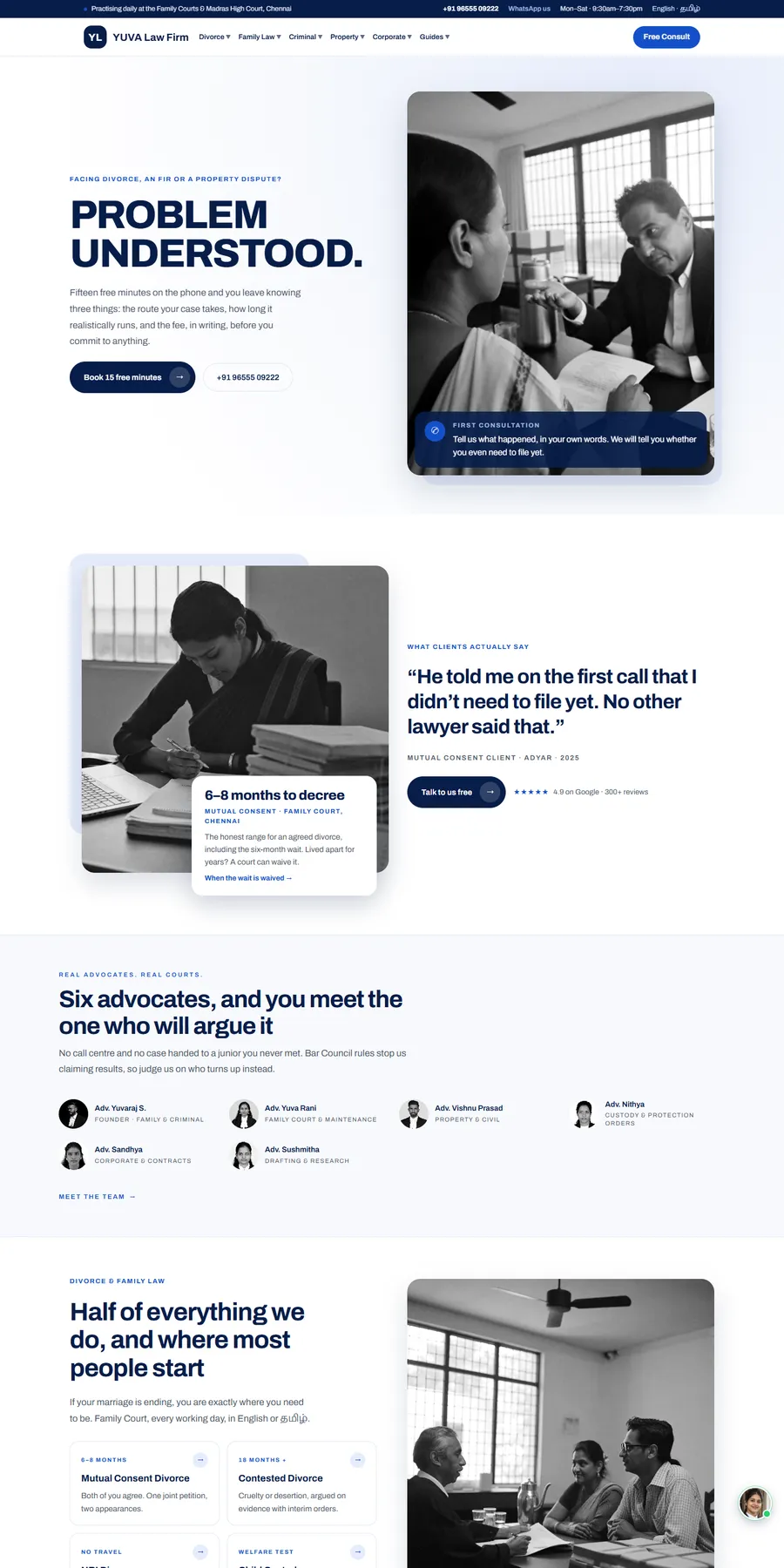
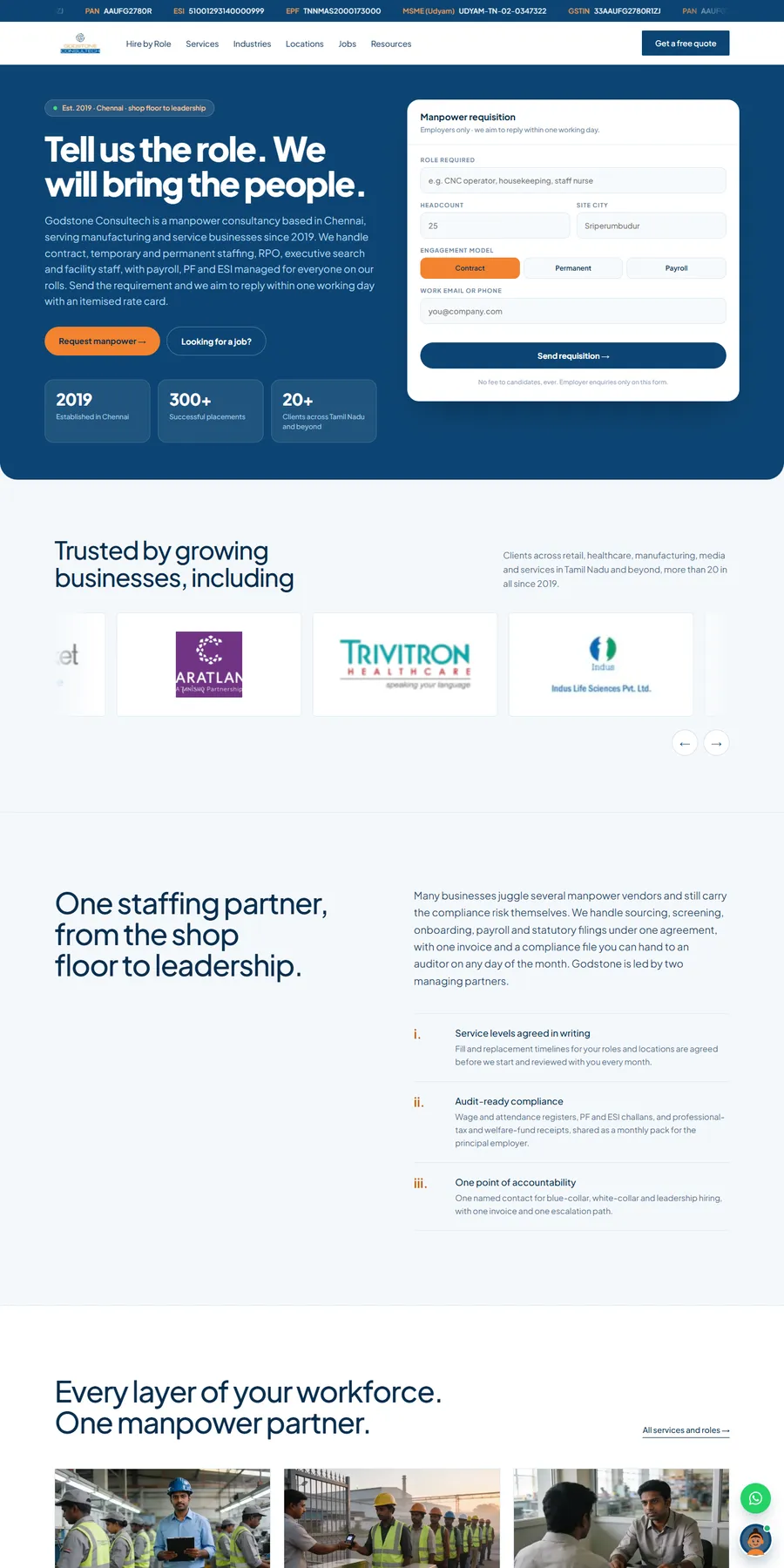
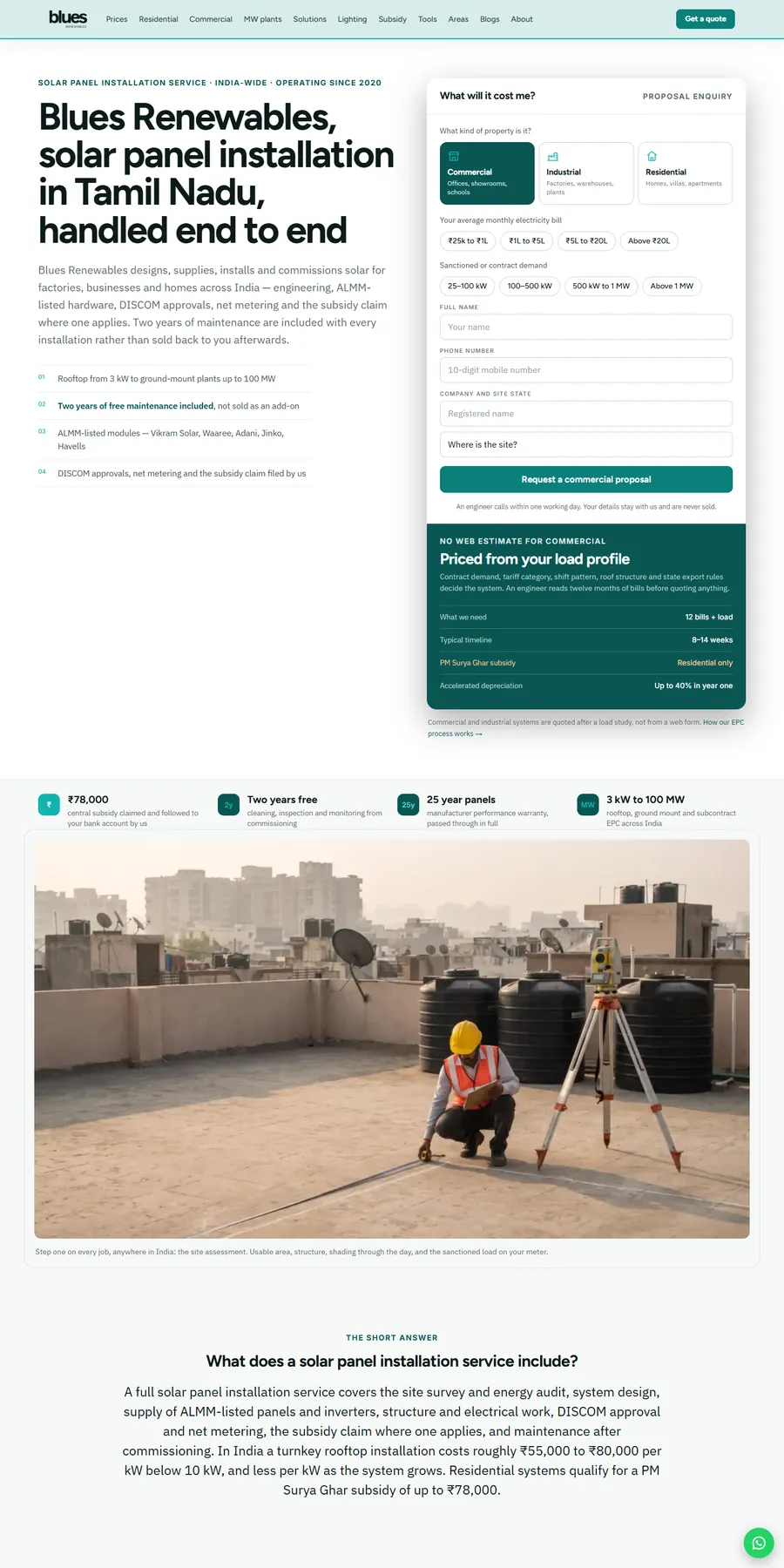
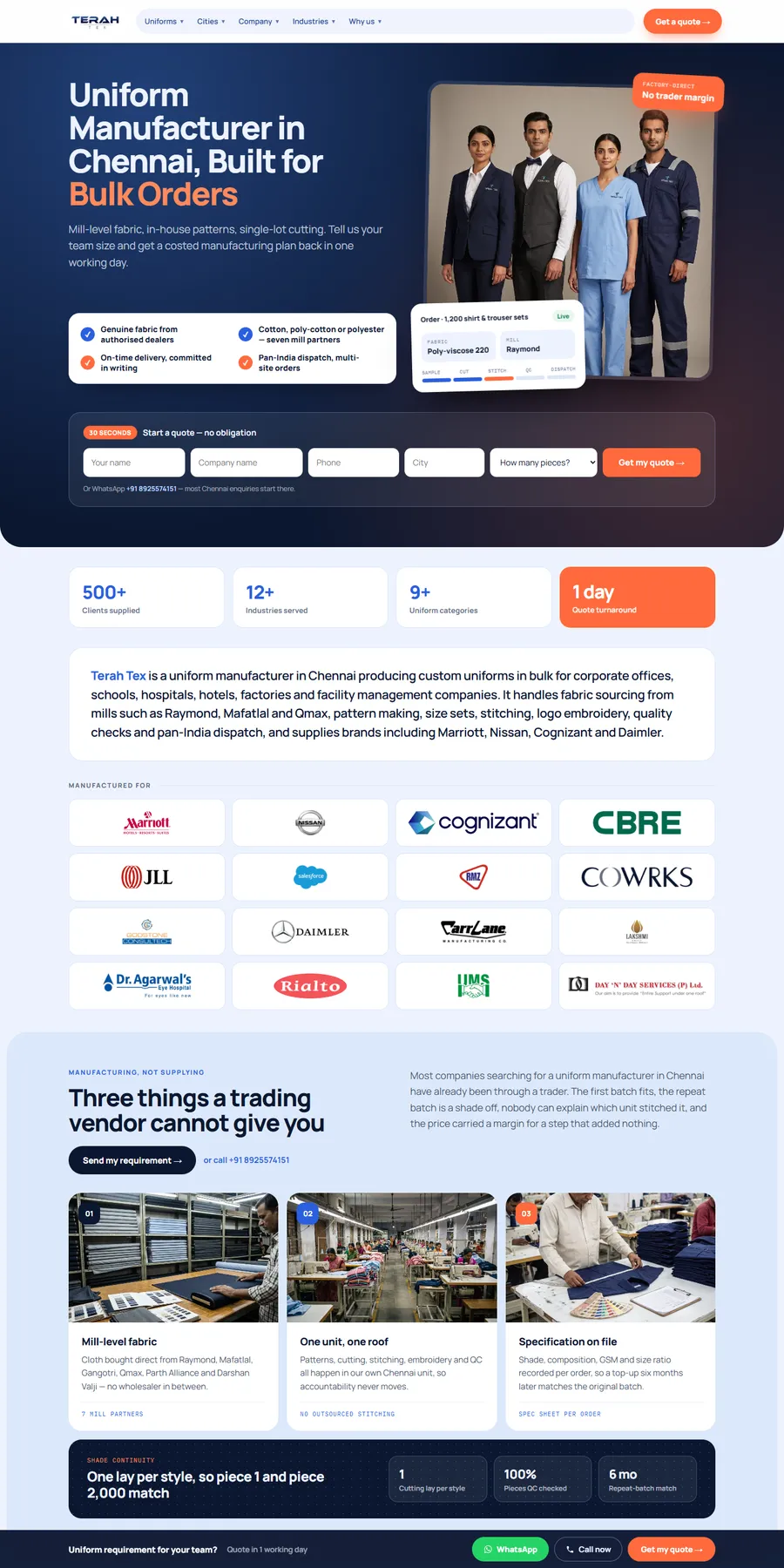
Our proof is Blues Renewables, a local service business running the same lead system a child care center needs: a page per service and area, click-to-call, and every call and form tracked as a lead event in GA4. It went from no tracked leads to 7 to 10 inquiries a week, and Google clicks rose from 14 to 560 a fortnight in two months. For a daycare, its service pages become age group pages, its area guides become location pages and its tracked forms become tour requests. Terah Tex shows the two-step form, from no website inquiries to about 5 leads a week, that we adapt into a tour request followed by the enrollment packet. In our portfolio, YUVA Law Firm shows how we write forms for families sharing personal details, and the Godstone Consultech staffing site shows recruiting pages that bring applicants.

More websites we have designed and built

Process

How your daycare website project runs

Typical timeline: 4 to 8 weeks for most daycare and preschool websites; 8 to 12 weeks for groups with several centers. You see progress every week.

  1. Step 01 · Week 1

    Discovery and audit

    We audit your current site, competitors, and how you show up on Google and in AI answers, then agree on goals and a fixed quote.

  2. Step 02 · Weeks 2 to 3

    Strategy and design

    Sitemap, wireframes and full designs for your review. You approve everything before we build.

  3. Step 03 · Weeks 3 to 6

    Build and test

    Development, SEO setup, speed tuning, and testing across devices and browsers.

  4. Step 04 · Launch and beyond

    Launch and grow

    We launch, monitor, and improve based on real data. 30 days of free support included.

What shapes your quote

Scope, not hourly billing

Every project gets a fixed quote within 1 business day, agreed before work starts.

Get my fixed quote →
  • Number of age groups, programs and centers
  • Tour booking, waitlist and how they connect to your enrollment software
  • Tuition, subsidy and parent resource pages
  • Careers section and applications
  • Photo coordination of rooms, playgrounds and teachers
  • Content writing, Spanish or other language pages and migration from your current site

Daycare website questions, answered

Straight answers to what owners ask us, and what they ask Google and AI assistants. Ask us anything else.

How much does a daycare website cost?

We give one fixed quote, agreed before work starts, based on pages, features, integrations and content, including tour booking, waitlist and careers. You get it within 1 business day with a free audit of your current site. There is no hourly billing.

Should we put tuition on our daycare website?

Usually yes, as rates or ranges by age with fees and discounts. Parents rule centers in or out on price, and one parent in r/Preschoolers said rates online save calls to places out of budget. If rates change often, a short request form for the current rate sheet works too.

Do we have to show our license number on the website?

In some states, yes. California requires licensed child care facilities to show the license number in all advertising, and Florida requires it in any advertisement for a child care facility or family day care home. We show it as your state requires.

Can we show photos of the children?

Only with written parental consent, and never with names. We recommend public pages show rooms, playgrounds and teachers, with daily photos of children shared in your parent app, which parents generally prefer.

Can parents book tours online?

Yes. A short tour form or calendar on every page with child's age, start date and preferred times, reminders with consent, and each request tracked as a conversion.

Can the website connect to Brightwheel, Procare or our enrollment software?

Often, yes. We link or embed waitlist, enrollment and parent app tools where they allow it, and confirm what your software supports before we quote.

We are a licensed home daycare. Do we need the same website?

A smaller one. A home provider usually needs a home page, ages and openings, a day in the life, safety and license, rates, a tour form and reviews. Florida's license number rule applies to family day care homes too.

Can the website help us hire teachers?

Yes. A careers section with pay, benefits, training and schedules, a short application, and tracking by source, so you know which job board or page brings applicants. Some states require pay ranges in job postings for covered employers.

Does COPPA apply to our daycare website?

Usually not to a site written for parents. The FTC's COPPA Rule covers sites directed to children under 13 or that knowingly collect their data. If you add a kids' area, games or anything children use directly, it may, so we keep the site parent-facing.

Will the new site rank on Google and show up in AI answers?

No one can guarantee rankings. We build what Google and AI assistants use: a page per age group, openings and hours as text, a location page that matches your Business Profile, license facts, schema and recent reviews.

How long does a daycare website take, and who owns it?

Most take 4 to 8 weeks; groups with several centers take 8 to 12 weeks. You get a dated week-by-week plan and weekly written updates. You own the code, design, content, photos, domain and every account from day one, with no lock-in.

What makes you different from another daycare web design company?

Many daycare web design companies sell the same template they use for gyms and spas. We build around what parents check first: ages, openings, license, ratios, price and tours, with children's privacy built in and a careers section that helps you staff the rooms you fill. The terms come first in writing: a fixed quote in 1 business day, a dated plan and no lock-in.
Get your free daycare website proposal

Four quick questions. You'll get a fixed quote and a free audit of your current site within 1 business day.

  • ✓ No obligation, no sales pressure
  • ✓ Fixed price, never hourly
  • ✓ Your details stay private

Prefer email? info@billionwebstudio.com

Step 1 of 4~60 seconds
What do you need?